영상도, 음악도, 자막도. 설치하면 끝. 무료입니다. Video, music, and subtitles. Install and you're done. It's free.
⬇ TopPlayer 다운로드⬇ Download TopPlayer 기능 살펴보기Explore features
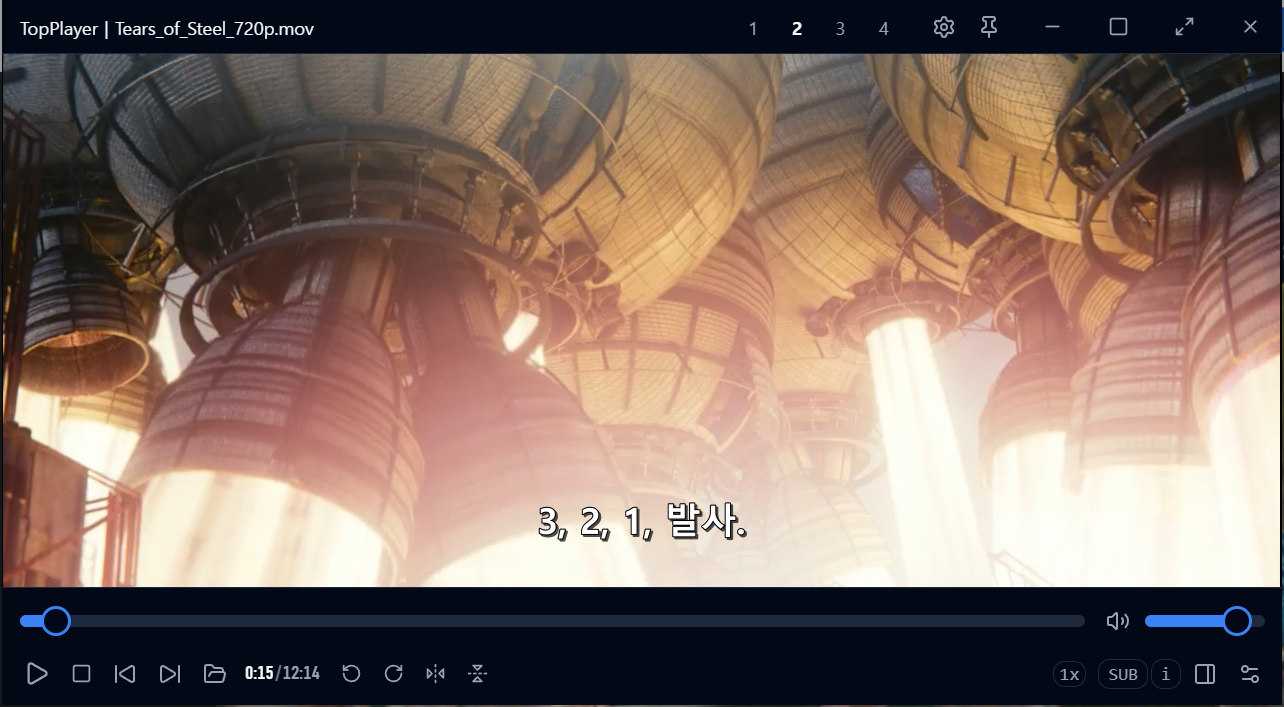
자막이 없는 영상도 AI가 자막을 만들어 드립니다. 만든 자막, 갖고 있던 자막, 영상에 내장된 자막까지 — 대부분의 국가 언어로 번역할 수 있습니다. No subtitles? AI creates them for you. Generated, external, or even embedded subtitles — translate them into most languages.
대사를 듣고 자막을 만듭니다. 자막 없는 영상도 곧바로 자막과 함께.Listens to the dialogue and writes subtitles. Watch any video with subs, instantly.
최신 OpenAI(ChatGPT) GPT-5.6 sol 지원 — API 키만 입력하면 번역가 수준의 자막 번역.Powered by the latest OpenAI GPT-5.6 sol — enter your API key for translator-grade subtitle translation.
영상 파일 안에 박혀 있는 내장 자막도 추출해서 원하는 언어로 번역합니다.Extracts subtitles embedded inside the video file and translates them too.
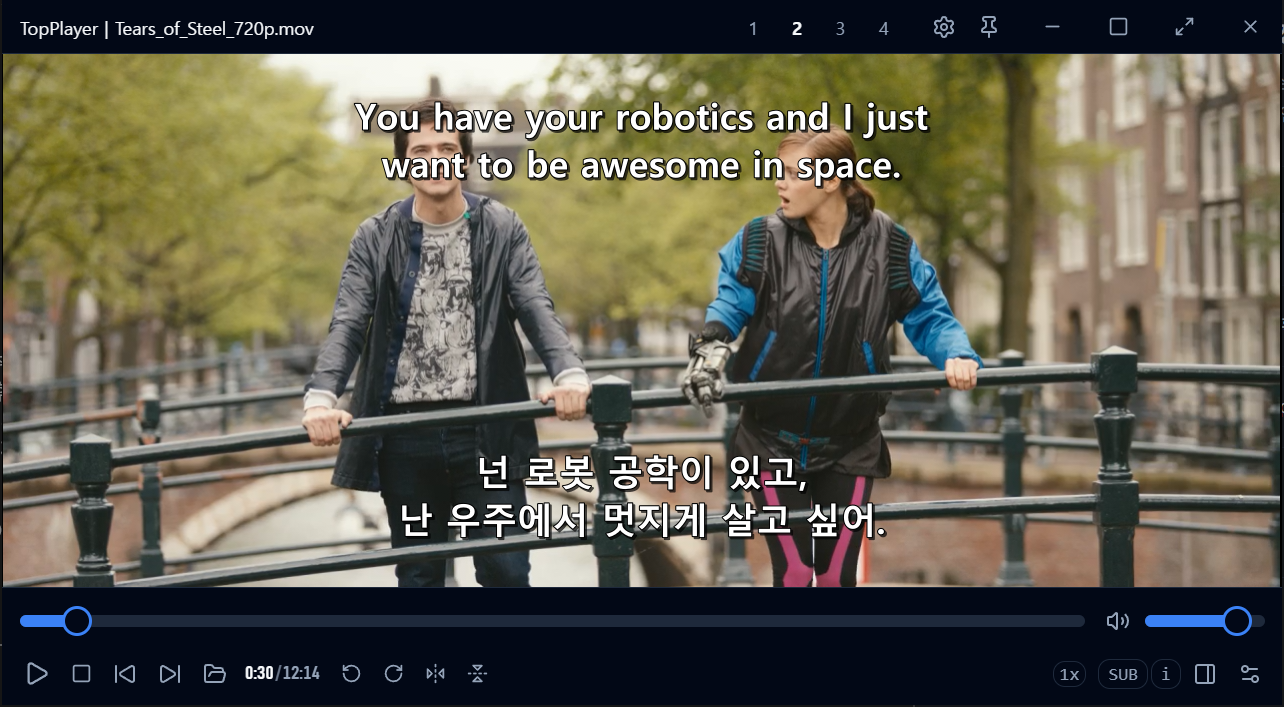
기본 자막 + 보조 자막, 동시에 2개 송출. 원어와 한국어를 함께 띄우면 영화가 곧 회화 교재가 됩니다. Primary + secondary subtitles, shown together. Original language on top, yours below — every movie becomes a conversation textbook.
GPT-5.6 sol 번역은 딱딱한 직역이 아니라 네이티브가 실제 쓰는 자연스러운 영어로 옮깁니다. 이 대사를 영어로 어떻게 말하는지 나란히 확인하세요.GPT-5.6 sol doesn't translate word-for-word — it writes the natural English a native speaker would actually say. See both, side by side.
두 자막의 트랙 · 위치(4방향) · 색상 · 크기를 각각 조절할 수 있습니다.Track, position (4 directions), color, and size — adjustable for each subtitle independently.
복잡한 코덱 설정이 필요 없습니다. 거의 모든 영상 파일을 즉시, 4K도 부드럽게. No codec packs, no setup. Nearly every video format plays instantly — 4K included.
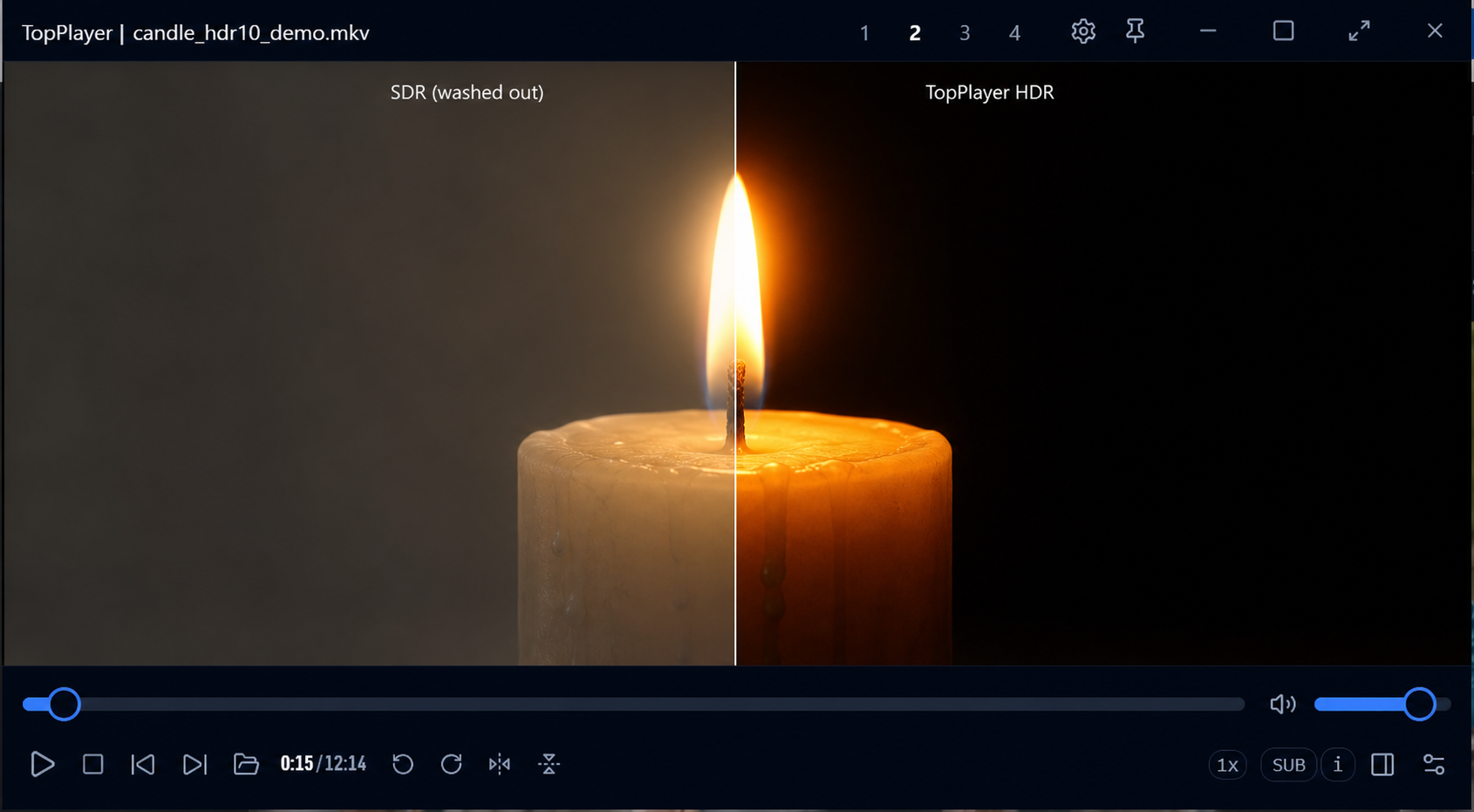
HDR 신호를 원본 그대로 디스플레이에 전달합니다. 제작자가 의도한 밝기와 깊은 명암비 그대로.Passes the HDR signal straight to your display — the brightness and deep contrast exactly as the creators intended.
HDR 파일을 일반 화면에 맞게 지능적으로 변환합니다. 색 빠진 뿌연 화면 없이 고화질 그대로.Intelligently converts HDR for SDR screens — no washed-out colors, full quality preserved.
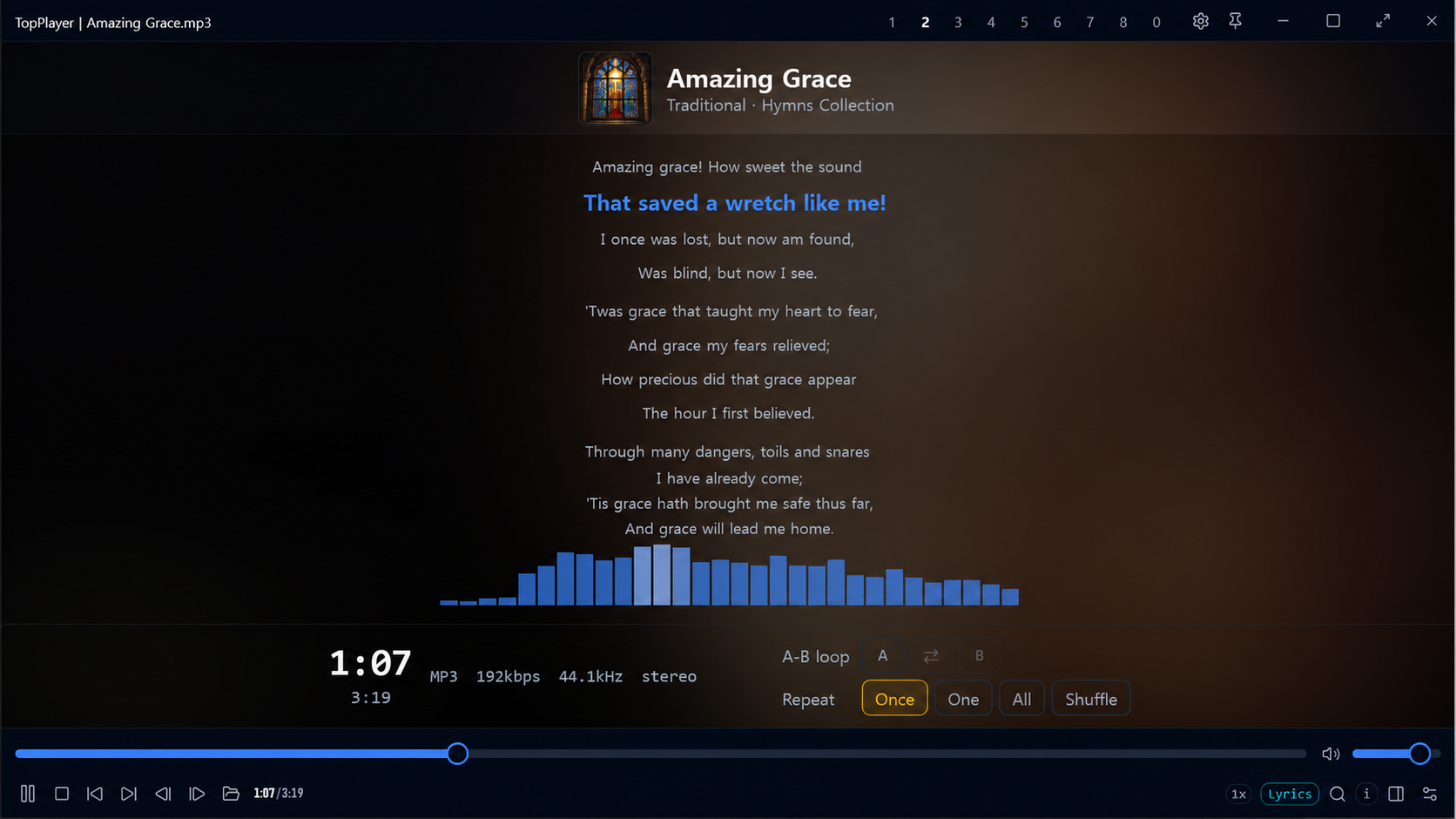
가사 지원 MP3 뮤직 플레이어 내장 — 음악 프로그램을 따로 쓸 필요가 없습니다. A lyrics-enabled MP3 player, built in — no separate music app needed.
MP3 제목으로 온라인에서 가사를 자동 탐색·매칭해 화면에 표시합니다.Finds and matches lyrics online from the MP3 title, shown right on screen.
재생목록으로 즐겨찾는 나만의 영상·뮤직 앨범을 관리하세요. 즐겨찾기 그룹으로 폴더처럼 정리됩니다.Manage your favorite videos and music albums with playlists — favorite groups keep them organized like folders.
모든 단축키를 GUI에서 직접 바꿀 수 있고, 충돌도 자동으로 감지합니다. 마우스 보조키(휠·가운데·측면)도 내 맘대로.Remap every shortcut right in the GUI with automatic conflict detection. Mouse buttons (wheel, middle, side) too.
볼륨 기본 130%, 오디오 탭에서 최대 3배 부스터 — 작게 녹음된 소리도 크게. 이퀄라이저로 베이스·고음을 부스트해 박진감 넘치게.Volume up to 130% by default, and a 3× booster in the audio tab — hear even quietly-recorded videos. Boost bass or treble with the equalizer.
어학·안무 연습에. 원하는 구간을 정해두고 반복 재생합니다.For language or dance practice — loop any section you choose.
원하는 장면만 무손실로 잘라 저장합니다.Cut and save just the scene you want, losslessly.
네이티브 엔진으로 만들어 가볍고 빠르며 메모리를 적게 씁니다.
저사양 PC에서도 부드럽게. 그리고 무료입니다.Built on a native engine — light, fast, and easy on memory.
Smooth even on low-end PCs. And it's free.
Windows용 TopPlayer를 무료로 받으세요.Get TopPlayer for Windows, free.
⬇ TopPlayer 다운로드 — 무료⬇ Download TopPlayer — Free